
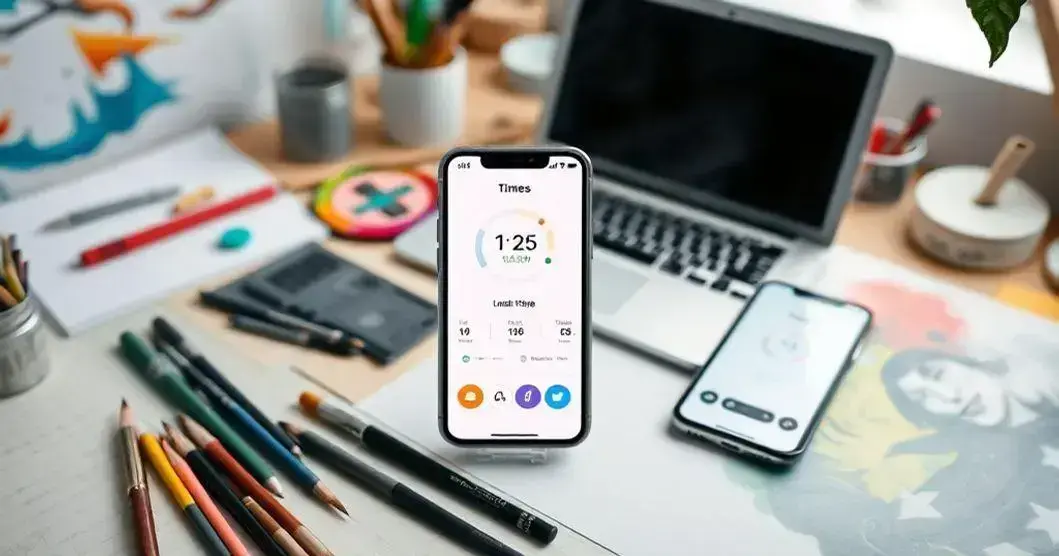
Apps to track screen time for creatives are essential tools for enhancing productivity. Managing screen time can significantly boost focus and creativity in any project. Finding the right app can make all the difference in maintaining a healthy work-life balance.
Whether you’re an artist, writer, or designer, these tools help you stay aware of your usage patterns. They encourage mindful consumption of digital resources while promoting creative workflows.
Keep reading to discover the best apps that can help you maximize your creative potential and keep distractions at bay!
Top Apps for Tracking Screen Time
There are many great apps to track screen time, especially for creatives. One popular choice is RescueTime, which helps users see how much time they spend on different apps and websites. It provides insights to improve productivity by identifying distractions and fostering better habits.
Another excellent app is Forest, which encourages focus by helping users plant virtual trees that grow while they stay on task. It’s a fun way for creatives to stay motivated and reduce their screen time without sacrificing productivity.
Lastly, Moment is an app that tracks how much time individuals spend on their phones. It offers weekly reports and insights that help users set limits and achieve a better balance in their creative work and personal life.
Benefits of Tracking Screen Time for Creatives
Tracking screen time offers many benefits for creatives. One of the biggest advantages is gaining insight into how time is spent. By understanding which apps or activities take up the most time, creatives can find areas to improve their focus and boost productivity.
Another benefit is setting limits. When creatives know how much time they spend on their devices, they can establish healthier boundaries. This helps reduce distractions and encourages more time spent on important tasks like brainstorming ideas or working on projects.
Finally, tracking screen time helps promote better work-life balance. Creatives can identify when they need breaks or relaxation time. By balancing screen time with other activities, they can recharge their minds and spark new inspiration for their creative work.
How to Use Screen Time Apps Effectively
Using screen time apps effectively starts with setting clear goals. Creatives should think about what they want to achieve, such as reducing distractions or focusing more on their projects. By knowing their goals, they can tailor their app settings to support these objectives.
Next, it’s important to check the app regularly. Many screen time apps provide daily or weekly reports. Creatives should review these insights to see how they are doing. If they notice they are spending too much time on certain apps, they can adjust their usage accordingly.
Lastly, create a routine that includes app usage. Setting specific times for breaks or creative tasks can enhance productivity. By following a consistent schedule, creatives can better manage their time and make the most of their screen time apps.
Choosing the Right Screen Time App
Choosing the right screen time app starts with understanding your needs. Think about what features are most important to you. Some apps focus on tracking time, while others offer break reminders or detailed reports. Identifying your priorities can help you find the perfect fit for your creative work.
Another important factor is user-friendliness. Look for an app that is easy to navigate and understand. A complicated app can lead to frustration and might not help you manage your time effectively. Read reviews or try out a few apps to see which one feels right.
Lastly, consider compatibility with your devices. Since many creatives use multiple gadgets, it’s important to choose an app that works well across all platforms. This way, you can track your screen time no matter which device you are using to enhance your creative process.
Integrating Screen Time Tracking into Your Routine
Integrating screen time tracking into your routine can start with setting specific times for usage. For example, you can designate morning hours for focused work and limit social media use to breaks. This simple change helps ensure that you remain productive and intentional with your time.
Creating reminders on your devices can also keep you accountable. Many screen time apps allow you to set alerts when you exceed your limits. These gentle nudges remind you to switch to other activities, encouraging healthier habits and maintaining your focus as a creative.
Finally, review your screen time data at the end of each week. Take a moment to analyze your usage patterns. Look for trends, such as which times of day you are most productive or which apps take up too much time. This reflection can guide you in adjusting your routines for better results in your creative work.
Apps to Track Screen Time for Creatives: Common Features of Screen Time Apps
Common features of screen time apps include detailed usage reports. These reports show how much time you spend on each app or website. By breaking down your data, you can easily identify which activities consume most of your time, helping you make informed decisions about your usage.
Another important feature is the ability to set time limits. Many apps allow users to choose how long they want to spend on specific apps each day. Once the limit is reached, the app can remind you to take a break or even block access, which promotes healthier habits.
Lastly, most screen time apps offer focus modes or distraction-blocking options. These features help eliminate unwanted notifications and interruptions, making it easier for creatives to concentrate on their projects. By minimizing distractions, these apps create an environment more conducive to productivity.
Finding the right balance between work and leisure is essential for creatives. Having too much screen time can lead to burnout or decreased creativity. By tracking your screen usage, you can identify times when you need breaks to recharge your mind. This way, you can enjoy your creative process without feeling overwhelmed.
Building healthy habits around screen time is key. When you monitor how much you engage with certain apps, you become more aware of your patterns. You can set specific goals, like limiting social media use during work hours, to help improve focus and productivity.
Finally, using screen time apps can enhance your overall well-being. Many apps promote mindfulness by encouraging users to take breaks and evaluate their habits. By incorporating these practices, you can create a healthier relationship with technology while fostering your creativity.